Tracking where your money goes sounds obvious until you actually try it. This guide breaks down how modern expense tracker apps work, what features matter, and how to turn raw spending data into a plan that helps you save money and reach your financial goals.
Why You Need an Expense Tracker Right Now
It's late July 2026. You open your banking app and see a balance that doesn't make sense. Your income hit on the 15th, and somehow two weeks later there's barely enough to cover rent. You scroll through transactions: a $4 coffee here, a $12 lunch there, a ride-share you forgot about, three streaming subscriptions you haven't touched in months. None of them felt expensive at the time.
This is the reality for most people. Small, daily transactions silently erode your cash flow without triggering any alarm. That $4 coffee three times a week adds up to over $600 a year. A $12 lunch twice a week quietly becomes $1,200. Research shows that most people who start tracking their spending discover they spend 20–30% more than they assumed, particularly on small purchases.
A modern expense tracker app gives you a real-time view of where money goes so you can adjust spending before payday, not after overdrafts. Unlike old methods like spreadsheets or notebooks, today's tracker apps on iOS and Android do the heavy lifting automatically. Expense tracking helps users understand their spending habits in a way that static records never could.
Here's what you gain immediately when you start:
- Stop leaking money on unused subscriptions you forgot you were paying for.
- Reduce impulse spending by seeing category totals update in real time.
- Hit one concrete savings goal within 90 days by redirecting what you find.
What Is an Expense Tracker App? (And How It Differs From a Budgeting App)
An expense tracker app is a tool that records and categorizes every transaction-cash, card, or bank transfer-to help you track spending and manage your monthly expense totals. It answers one question: where did the money go?
This is different from a budgeting app, which sets spending limits and financial goals before you spend. It's also distinct from a full cash flow planner, which projects future money in and out over weeks or months.
Most expense tracker apps share common features: categories, visual charts, recurring transactions, export options, and basic reports. Expense trackers use automated categorization and reporting to analyze spending, while many expense tracking apps can categorize transactions automatically. Many expense tracker apps offer free and paid versions, so you can start without commitment.
Here's how capabilities evolve across three types:
| Feature | Traditional Tracker | Bank-Connected App | AI-Powered Tracker (Safify) |
|---|---|---|---|
| Data entry | Manual typing | Auto-import from bank | Chat, voice, receipt scan |
| Categorization | User-assigned | Auto-suggested | AI-learned and refined |
| Privacy | High (local only) | Lower (bank credentials shared) | High (offline-first, no bank login required) |
| Insights | Basic totals | Spending summaries | Trend detection, predictions, alerts |
Modern tools like Safify combine expense tracking, budget tracking, and cash flow analysis into one app, so you don't need three separate platforms.
How Expense Tracking Actually Works Day to Day
The typical workflow in a modern expense tracker app follows three steps:
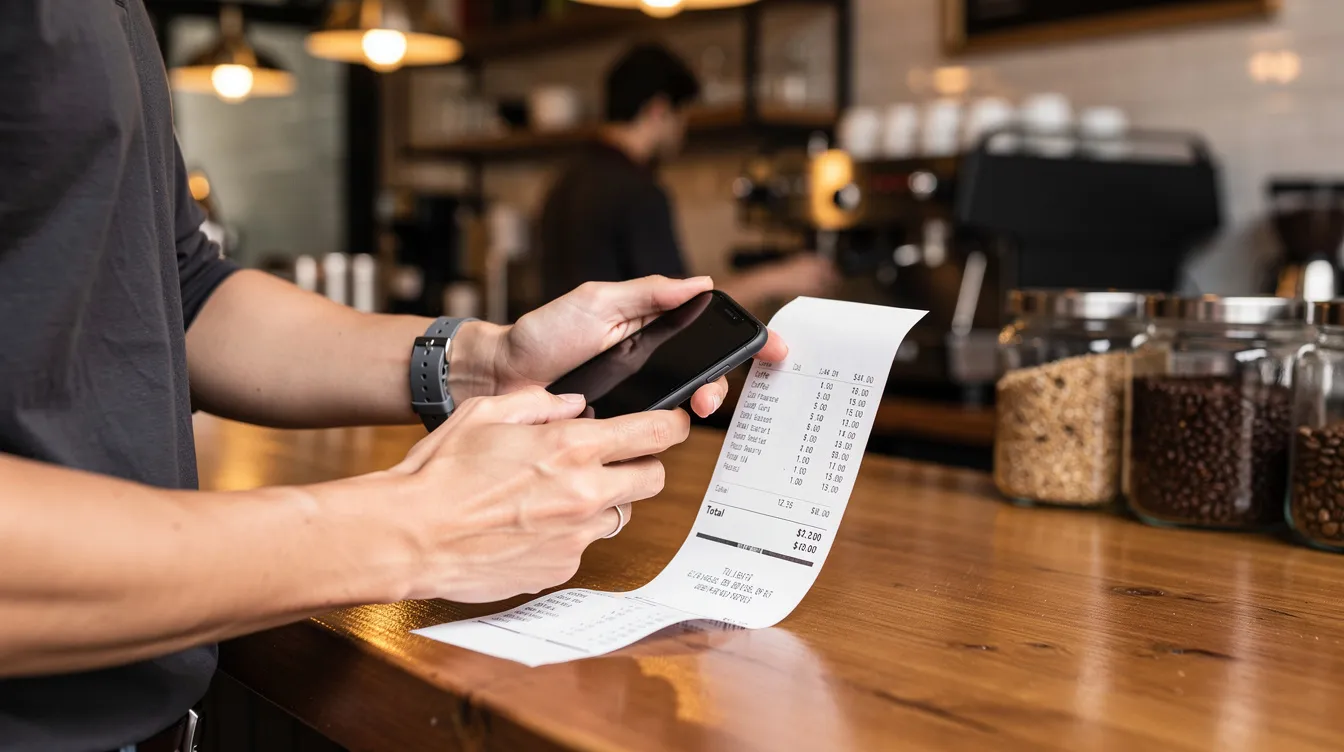
- Log the transaction. You can type it manually, scan receipts with your phone camera, or use voice input. Receipt scanning automates expense tracking for users by pulling the merchant, date, and amount directly from the image.
- Automatic categorization. The app assigns a category based on the merchant or your past behavior. Over time, AI suggestions get more accurate.
- Real-time dashboard update. Your budgets, category totals, and cash flow graphs refresh instantly. Real-time dashboards display spending data and flag unusual activity so nothing slips past you.
Recurring expenses like rent on the 1st, streaming subscriptions mid-month, and loan payments on the 15th are auto-logged and forecasted. You can open the app at any moment and see how much you've spent this month, how much is left in each category, and expected bills for the next 30 days.
Example: 26 July 2026. You log a $3.50 coffee, a $45 ride-share, and scan a $12 lunch receipt. A $14.99 streaming charge is auto-detected. The app immediately shows "Food & Drink" at $15.50 for the day, flags the subscription, and updates your remaining budget. Before ordering take out for dinner, you check: the app shows you'd exceed your weekly food target. You cook instead.
The goal isn't just recording numbers. Expense tracking aids in budgeting and tax preparation by organizing records, but the immediate value is making daily decisions easier.
Key Features to Look For in an Expense Tracker App
Think of this as your checklist when evaluating any budget tracker or expense tracking app in 2026.
Fast data entry. Speed determines whether you'll actually use the app. The best tools let you log a purchase in under five seconds-one-tap amount entry, templates for frequent transactions, and split-bill options for shared meals.
Categorization and tags. Default categories like "Groceries," "Commute," and "Subscriptions" should be ready out of the box, with the option to add custom tags like "work" or "side hustle" for deeper insight across categories.
Monthly expense summaries. Clear pie or bar charts showing top categories, with alerts when certain areas exceed thresholds. Weekly reviews help categorize unlisted expenses and adjust spending plans before month-end surprises.
Subscription and recurring payment detection. The app should automatically identify recurring bills and flag them for review. Spreadsheets provide a customizable option for detailed expense tracking, but they can't detect that your cloud storage fee quietly increased by $2.
Cash flow timelines. Projections showing upcoming income and expenses so you can spot low-balance days before they happen.
Alerts for overspending. Push notifications when a category is nearing its limit or total spending threatens your savings target.
Data export. CSV and PDF export for advanced users who want to do further analysis or keep local backups of their financial data.
Many expense tracker apps offer receipt scanning features that reduce manual entry and errors in expense reports. Receipt scanning can categorize expenses automatically, and tools like ExpenseVisor's DocScan extract vendor name, date, and total amount without you typing a thing.
Expense tracker apps can sync with bank accounts for real-time updates, but when privacy matters more, manual or hybrid methods let you maintain full control. Expense tracker apps automate spending data for better insights either way.
Safify focuses on quick capture-chat, voice, receipts-and deep insights, rather than just banking connections. It's built for users who want speed and privacy without sacrificing intelligence.
Understanding Your Cash Flow: Beyond Just Tracking Expenses
Cash flow is the timing and amount of money flowing in versus money flowing out over a specific period. Totals alone don't tell the full story-when income arrives relative to when bills are due matters just as much.
Example month: Your salary hits on the 1st and 15th. Rent is due on the 3rd, utilities on the 10th, and insurance on the 25th. Between the 20th and the 25th, your balance dips to its lowest point because the next paycheck hasn't arrived. Without visibility into this pattern, you might overspend early in the cycle and get caught short.
Cash flow analysis helps track income and expenses over time, and a good expense tracker app shows upcoming recurring debits, highlights days where balances may dip dangerously low, and helps you plan around these crunch points. A cash flow forecast predicts future cash inflows and outflows so you can prepare rather than react.
Effective cash flow management prevents financial shortfalls. Analyzing cash flow can reveal spending trends and patterns that monthly totals hide.
Mini-guide to using cash flow views:
- Map all recurring inflows and outflows with their exact due date.
- Identify days with no income but heavy expenses-delay non-essential purchases to safer windows.
- Use predicted dips to temporarily reduce spending or shift payment dates.
- Route surplus from peak-balance days toward debt payments or savings.

From Tracking to Budgeting: Turning Data Into a Real Plan
Once you can track expenses reliably for 30 days, you have enough data to build a real budget-not one based on guesses, but on observed spending patterns.
Use 1–3 months of tracked spending to calculate average monthly expenses per category, spot outliers like irregular car repairs, and set realistic spending limits. This is where a budgeting app becomes genuinely helpful rather than aspirational.
Common approaches supported by modern apps:
- Envelope budgeting. Goodbudget uses a digital envelope budgeting system where you assign dollars to virtual envelopes per category. The cash envelope system divides money into specific categories for budgeting in a tangible way.
- Zero-based budgeting. Every dollar gets a job. EveryDollar uses a zero-based budgeting method where income minus allocations equals zero.
- Percentage-based rules. Adopting the 50-30-20 rule structures spending into needs, wants, and savings. It's a simple way to start if detailed categories feel overwhelming.
Tools like YNAB cost $14.99 per month after a free trial, while Simplifi allows users to set spending watchlists and savings targets. Budgeting apps help users track spending and plan finances effectively, but the key is matching the method to your personal spending style.
Weekly reviews help categorize unlisted expenses and adjust spending plans as your habits shift. Safify users can start with 3–5 core categories-housing, food, transport, debt, fun-before adding detail like "coffee" or "streaming."
Expense Categories That Actually Help You Change Your Spending Habits
Good categories make trends obvious. Bad categories hide problems. Lumping "shopping" and "groceries" together, for example, masks the fact that takeout-not groceries-is consuming your food budget.
Here's a category set tailored for personal finances in 2026:
- Housing & utilities
- Groceries & household supplies
- Transportation & fuel
- Subscriptions & digital services (Netflix, Spotify, cloud storage)
- Health & insurance
- Debt payments (credit cards, student loans-relevant for debt management)
- Savings & investments (including any crypto wallet or e wallet contributions)
- Fun & lifestyle (eating out, entertainment, hobbies)
Tags like "work," "kids," or "family" can sit on top of categories for deeper insight without overcomplicating the system. This way you can see how much a purchase relates to business expenses versus personal spending without creating dozens of sub-categories.
Worked example: A user reviews their month and finds $180 on food delivery versus $60 on actual groceries. Previously, both were lumped under "Food." After re-categorizing, they see that delivery alone accounts for three times their grocery bill. They decide to limit delivery to weekends only, saving roughly $120 per month.
Safify lets users create custom categories and tags, and the AI can suggest better grouping based on past behavior-no manual cleanup required.
Manual vs. Bank-Synced vs. AI-Powered Expense Trackers
There are three main ways to track spending in 2026, each with trade-offs around accuracy, privacy, and effort.
Manual tracking. You enter each transaction yourself. This gives you the highest control and privacy, and it's ideal for building intentional spending habits. The downside: it requires discipline. Miss a few days and gaps appear in your data.
Bank-synced tracking. The app connects to your bank accounts and card accounts, auto-importing transactions and sometimes auto-categorizing them. This works well for card-based spending but can miss cash transactions. It also means sharing credentials with a third party, which raises privacy concerns for many users. Some tools connect to multiple bank accounts and multiple accounts simultaneously.
AI-powered hybrid tracking (Safify's approach). You log via chat, voice, or receipt scan. The app learns your patterns and auto-categorizes future entries. AI-driven insights automate spending data analysis, and AI insights help identify spending trends and patterns that you'd otherwise miss. AI can categorize expenses and detect duplicates automatically, reducing cleanup time. AI-driven analytics provide actionable business intelligence even for personal finances.
Comparison at a glance:
- Ease of use: Bank-synced is easiest; AI-powered is close behind; manual requires the most effort.
- Privacy: Manual and AI-powered (local-first) rank highest; bank-synced ranks lowest.
- Completeness: Bank-synced captures card transactions well but misses cash; AI-powered fills gaps via receipts and voice; manual depends on consistency.
- Insight depth: AI-powered offers trend detection, predictions, and suggestions; bank-synced provides summaries; manual is static.
How Safify Makes Expense Tracking Fast, Private, and Insightful
Safify is designed for people who want the depth of AI insights without handing over bank credentials. Here's what makes it different from tools like Rocket Money, Expensify, or traditional budget trackers.
Quick capture, multiple methods. Type "Coffee 4.50 at Starbucks" in the chat and it's logged with the right category. Use voice input for hands-free tracking while walking or driving. Scan receipts and the app reads the date, merchant, and amount automatically-it's super easy and takes seconds.
Offline-first design. Expenses can be logged with no internet connection and synced later. This is helpful for travelers, users in areas with unreliable connectivity, or anyone who simply doesn't want constant cloud uploads. You maintain full control over your data at all times.
Privacy by design. No requirement to connect bank accounts. Local-first storage with optional encrypted sync. Fine-grained control over what is backed up or shared across devices. Your financial data stays yours.
AI-driven insights. The app helps you in concrete ways:
- Detecting that your subscription costs rose 18% since March 2026.
- Spotting an unusual spending spike compared to your normal spending habits.
- Suggesting realistic budget adjustments based on recent data rather than generic percentage rules.
Effective expense tracking helps prepare for taxes by keeping organized records, and Safify's export features make tax time straightforward.
Multi-currency support. For travelers and remote workers who earn in one currency and spend in another, Safify handles multiple currencies seamlessly. In context, tools like Expense Visor detect duplicates across 150 currencies, Rippling Spend supports multi-currency global reimbursements in 100+ countries, and Monefy unlocks multi-currency support with its premium version. Safify joins this space with built-in conversion for users managing transactions across borders.

Setting Up Your First 30 Days of Expense Tracking
Here's a step-by-step plan you can follow starting today to build a sustainable tracking habit.
Days 1–3: Log everything. Add every transaction manually. Don't worry about perfect categories yet. The process of recording each purchase builds awareness on its own. Log expenses immediately after paying-waiting until evening means forgotten transactions.
Days 4–10: Refine and automate. Clean up categories. Set up recurring expenses: rent, utilities, subscriptions. Use reminders or notifications to stay consistent. Keep categories limited to five or six at most.
Days 11–20: Review and cut. Check weekly summaries. Identify 1–2 easy cuts-an unused subscription, frequent food delivery that could shift to weekends. This is where the app helps you start to save money for different reasons without dramatic lifestyle changes.
Days 21–30: Set targets. Based on observed patterns, set your first small budget targets and savings goals. Nothing aggressive-just guardrails on the two or three categories where you noticed the most waste.
Mini-case: Someone discovers two forgotten subscriptions ($9.99 and $12.99 per month) and realizes they're ordering delivery four times a week. By canceling both subscriptions and limiting delivery to weekends, they trim $80 from their monthly expense. Over a year, that's nearly $1,000 redirected toward debt or wealth-building.
Treat the first month as data collection, not perfection. The goal is to collect enough information to make informed decisions-not to guilt yourself over every purchase.
Advanced Techniques: Subscriptions, Recurring Expenses, and Cash Flow Leaks
Once basic tracking is in place, focus on high-impact areas: recurring expenses and unnoticed cash flow leaks.
Audit your subscriptions. Filter for monthly and annual charges inside your expense tracker app. List every service-streaming, news, software, fitness-and compare cost versus actual usage over the last 60–90 days. Subscription management helps avoid unexpected charges, and some apps can find and cancel unused subscriptions automatically. Apps can track and categorize recurring subscriptions automatically, saving you the manual review.
Review for price creep. Recurring bills like insurance, gym memberships, and software licenses often increase quietly. Tag them and review annually. If your gym went from $29 to $39 over two years without you noticing, that's $120 per year in silent cost increases.
Identify cash flow leaks. These are small, repeated drains that don't show up in any single category:
- ATM withdrawal fees ($2–3 each, adding up fast)
- Small in-app purchases across games or utilities
- Duplicate services-two cloud storage accounts, multiple music apps
Safify can surface these patterns via AI suggestions and highlight them in monthly report screens so you can act quickly. The new features in AI-driven trackers make this process far less tedious than manually scanning bank statements.
Choosing the Right Expense Tracker App for Your Lifestyle
With dozens of expense tracker apps available on the App Store and Google Play, narrowing your shortlist starts with honest self-assessment.
Ask yourself:
- Do I value automation (bank sync) or privacy (manual/hybrid)?
- Do I just want to track expenses, or also plan budgets and long-term financial goals?
- Am I tracking only my spending, or also a partner's or family expenses?
Common user profiles:
- The busy professional. Wants quick capture and simple graphs. Needs an app that logs a purchase in seconds and shows a clean weekly summary. A free app or free version is enough to start.
- The privacy-focused user. Avoids connecting bank accounts and cloud storage. Prefers local-first tools with encrypted backups. Wants full control of their data on their own devices.
- The household budgeter. Tracks shared monthly expenses with a partner, needs shared categories and a joint view of income versus spending.
- The frequent traveler. Needs multi-currency support, offline logging, and the ability to manage transactions across multiple accounts in different countries.
Safify fits especially well for privacy-first, mobile-first users who want AI insights without giving up bank credentials. It adapts to your finances over time rather than forcing a rigid system.
If you're unsure where to start, install one free app, commit to 30 days of tracking, and reassess your spending habits at the end of that period. The platform matters less than the habit.
Conclusion: A Simple Way to Stay on Top of Your Money
Consistent expense tracking turns vague anxiety about money into clear, actionable information. You don't need complex spreadsheets or hours of data entry-just a reliable expense tracker app and a 5-minute daily habit to log and review your spending.
Remember the person from the opening? Two months later, they understand exactly where every dollar goes. They've canceled three unused subscriptions, shifted food delivery to weekends, and started a small emergency fund. The gain wasn't dramatic-it was steady, informed, and sustainable.
Your income is already enough to support your life and build toward the future. The problem is almost never how much you earn-it's how little visibility you have into where it goes. Once you track spending consistently, you can manage your money with confidence, plan around recurring bills, and make room for the things that actually matter to you.
Start today with one concrete action: download a trusted expense tracker, set up basic categories, and record today's transactions before going to bed. Treat it as feedback from your own life, not a chore.
Safify is designed to make this process as quick and private as possible, with tools that adapt to each user's spending habits over time. Your data stays on your device, your insights get smarter every week, and your path to financial control starts with a single logged expense.
For more posts on managing personal finances, budgeting strategies, and making the most of AI-powered tools, keep following the Safify blog. We'd love your feedback on what topics to cover next-just send us a request through the app or our support page.